
When requests arrive by email and each manager keeps a separate list, the entrance team cannot tell which applications are approved or which areas each professional may use. A digital flow connects review, credentials and access.
Press accreditation for events involves more than printing a badge. Organisers must verify applicants, decide which coverage to admit and communicate that decision to reception, security and area managers.
Spanish search results show processes built around forms, manual review, deadlines and different permissions for journalists, photographers, video crews and creators. This is not a demand metric, but it does demonstrate a recurring operational problem.
1. Define profiles before applications open
Written press, radio, television, photography, agencies and creators may need different conditions. Profiles help request only relevant evidence and prevent permissions from becoming too broad.
Outlet, role and contact details
Assignment letter, press card or recent work where appropriate
Coverage type and technical equipment
Requested dates, sessions and areas
2. Separate application, review and approval
Submitting a form should not automatically issue a pass. Pending, under review, approved and rejected states let teams share work, request more information and keep a traceable decision.
3. Communicate deadlines and conditions
The confirmation should state what was approved, where to collect the credential, which entrance to use and any rules for recording, interviews or restricted spaces. Updates remain attached to the same record.
4. Create permissions by role and area
| Profile | Possible permission | Access check |
|---|---|---|
| Writer | Press room and sessions | Date and venue |
| Photographer | Pit or assigned position | Time and area |
| Video crew | Recording area | Authorised equipment |
| Creator | Approved activities | Pass conditions |
Exact rules depend on the event. The QR checks the current permission without displaying unnecessary personal data on the badge.
5. Issue and print without another queue
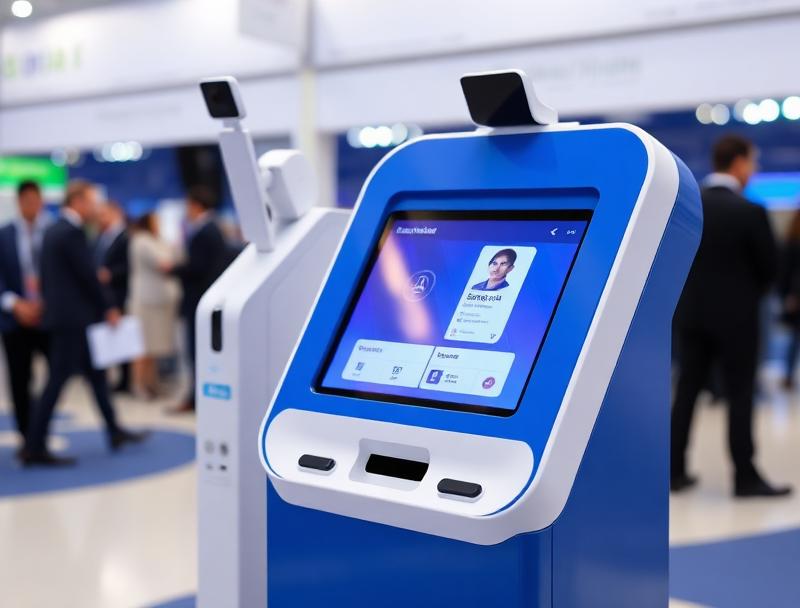
Approved applicants can scan their confirmation at a kiosk or assisted point and receive the badge. A support desk handles exceptions without delaying complete records.
6. Validate access and revoke credentials
Readers confirm identity, date, area and credential status. If conditions change or a badge is lost, the organiser can revoke it and issue a replacement without leaving two active passes.
7. Build the workflow around the event
Woolando can connect forms, review, email, printing, kiosks and QR validation around each event's rules. We sell, rent or provide equipment and deliver complete projects across Spain, with on-site support when required. Integrations and privacy requirements are scoped after reviewing existing systems.
Email info@woolando.es or tell us about your event on WhatsApp.