
A badge may show a name, company, category and QR code, yet another person could still use it. A photo can support visual checks for sensitive profiles, but it also introduces image capture, review and data handling that must be justified and properly designed.
Photo event badges make sense when organisers need to check visually that a credential belongs to the person presenting it. They should not be added by habit: define the risk, purpose and whether a name, category, QR code or less intrusive check already does the job.
1. Decide when a photo adds value
Photos may help with permanent staff, media, speakers, suppliers or restricted areas. They may be unnecessary for general visitors. Document who is checked, where and what staff should do if the picture does not support a reasonable comparison.
Send the event type, city, dates and profiles via WhatsApp or email.
2. Separate photos, ID documents and biometrics
Displaying a photograph for a human check is not the same as copying an identity document or applying automated facial recognition. Each option changes the data, risks and obligations. Legal basis, information, access and retention need project-specific review.
3. Choose how to collect the image
| Moment | Advantage | Plan for |
|---|---|---|
| Pre-registration | Review in advance | Format, rejection and resubmission |
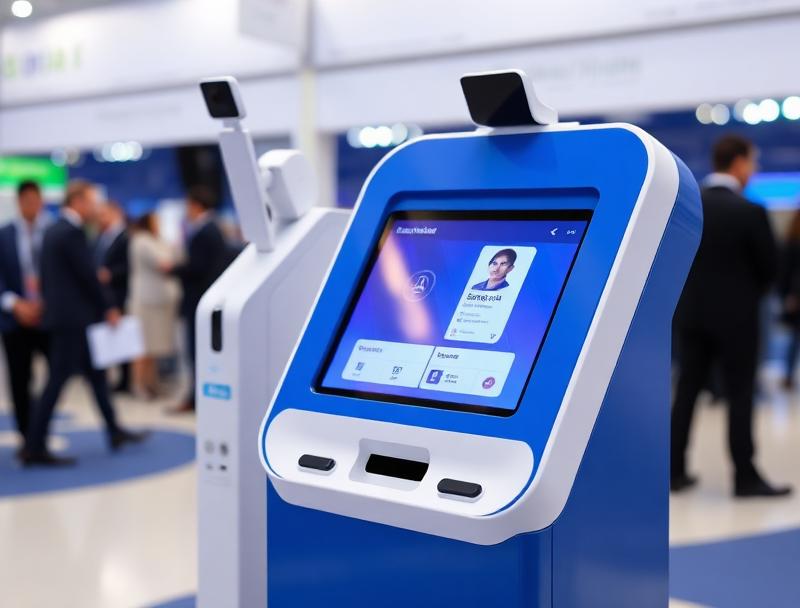
| Kiosk on arrival | Current image | Lighting, height and privacy |
| Assisted desk | Immediate help | Queue, equipment and permissions |
| Existing source | No repeated request | Purpose, validity and integration |
No route should be assumed to integrate until systems and responsibilities have been reviewed.
4. Set quality criteria
Explain framing, background, lighting, formats and file size with clear examples. Review can identify empty, blurred or group images, but an alternative is needed for people who cannot complete the intended process.
5. Design for checking, not decoration
The photo must be useful at actual print size without displacing the name, role, category or QR. Test contrast, cropping, long names, printing and lanyards. Decide whether the image is printed, shown only to authorised staff during validation, or both.
6. Link the photo to the current credential
The QR can retrieve the current record and permissions when the solution is integrated. If the photo, profile or badge changes, define which version remains active and how the previous one is revoked. Keep the image out of exports that do not need it.
7. Prepare privacy and operations
Purpose and information for each profile
People authorised to review or correct
Retention period and deletion method
Restricted access at kiosks and desks
Process for a wrong photo or borrowed badge
Suitable alternative and review for each case
8. How Woolando can help
Woolando sells, rents and supplies kiosks, printers and readers, and delivers end-to-end projects throughout Spain. We can tailor registration, photo capture, review, printing, badges, QR validation and integrations, with on-site support when required. Scope and data handling are confirmed after reviewing the project.
Send profiles, volume, format, systems and control needs via WhatsApp or info@woolando.es.