
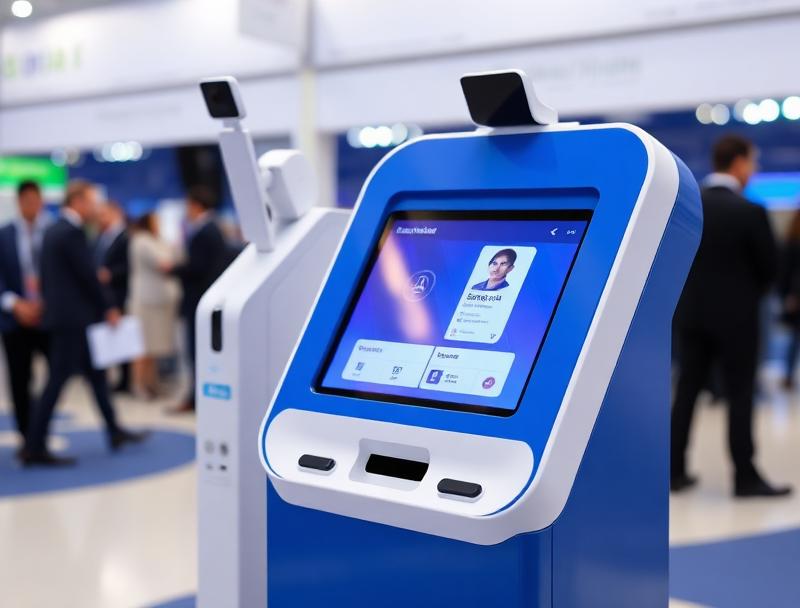
Job fairs and recruitment events often bring together candidates, employers, career advisors and institutional teams in just a few hours. When access depends on paper lists, overloaded desks and manual badges, the first impression is already chaotic. With QR badges, timed check-in and connected kiosks, the welcome becomes faster, measurable and far more professional.
At many job fairs, talent events and employer-candidate meetups, access looks like a minor detail until hundreds of people arrive in the same time slot. That is when queues appear, badges are printed with mistakes, schedules become unclear and reception teams spend more time searching for names than guiding visitors.
A QR badge system for job fairs makes it possible to validate registrations in seconds, organize arrivals by attendee type and coordinate candidates, employers, talks and networking areas from one connected platform.
1. Why job fairs get congested so quickly at the entrance
The challenge is not only volume, but also the mix of attendee types. At the same entrance you may have pre-registered candidates, last-minute visitors, exhibitor companies, speakers, career advisors and institutional guests.
The most common issues usually include:
Long queues before talks or interview blocks begin
Badges printed manually or with incomplete data
Uncertainty about whether someone arrives as a candidate, employer or guest
Reception desks overloaded by last-minute registrations
Very little visibility into real attendance by slot and attendee type
When everything depends on spreadsheets, printed lists or disconnected tools, even a small issue can slow the whole line and wear down the reception team.
2. How a QR badge works in this type of event
Each registration can generate a unique QR code linked to the attendee, category and access permissions. That code can be sent by email, stored in a wallet or printed from a kiosk on arrival.
In just a few seconds, the system can verify:
Whether the registration is confirmed and complete
Whether the person is attending as a candidate, employer, staff member or guest
Whether they have interviews, meetings or talks assigned
Whether the badge has already been issued or validated
Whether there is a pending issue or last-minute change
This turns check-in into a fast and traceable workflow instead of a manual search across multiple desks.
3. Timed check-in to spread arrivals more evenly
One of the main advantages of QR badges is the ability to organize staggered arrivals by schedule, attendee type or activity. Not everyone needs to enter at the same time or through the same access point.
This approach works especially well for:
Job fairs where employers enter before the general audience
University career days with student groups by school or year
Municipal employment events with talks and interviews in defined shifts
Venues with multiple halls, auditoriums or networking areas
Spreading arrivals reduces queues and helps each welcome team know exactly who they are serving at a given moment.
4. Where kiosks and self-service points fit in
Connected kiosks are especially useful when part of the audience arrives without their QR code, needs to correct data or must complete registration on site. Instead of sending every issue to the main desk, the organizer can split tasks and keep the access queue cleaner.
Registration lookup: find a record by email or phone number
Badge printing: issue a badge or receipt on the spot
Last-minute registration: add visitors without losing control
Routing: direct each person to the right room, stand or help desk
The key is that kiosks, staff and organizers all operate on the same live registration status rather than outdated copies.
5. What organizers gain when access and agenda share data
The real improvement is not only faster scanning, but making registration, badge issuance and event activity work from one operational dataset. That way the event knows who arrived, when they arrived and which part of the program they were expected to join.
| Need | Manual workflow | With Woolando |
|---|---|---|
| Identification | Searching printed lists | Instant QR validation |
| Access profiles | Verbal checks | Category tied to registration |
| Badge printing | Slow processing | Badge issuance linked to check-in |
| Issues | Queues at reception | More organized resolution |
| Final reporting | Estimates only | Real data by slot and attendee type |
With that foundation, it becomes much easier to reinforce a busy area, measure attendance at sessions or report meaningful results to employers and public institutions.
6. Useful data after the job fair ends
Digitizing badge operations also improves post-event analysis. Organizers can see which time windows concentrated arrivals, which attendee types actually showed up and where the most issues happened.
Entries by time slot
Registered candidates, employers and staff versus real attendance
Peaks in badge printing or reprinting
Traffic into specific rooms or talk areas
Issues resolved at kiosks or reception desks
These insights help redesign the next edition with more precision and demonstrate real impact to sponsors, universities or municipal partners.
7. A smoother welcome for a more professional event
The candidate and employer experience starts before the first interview. If access works with speed, structure and clear rules, the whole event feels more valuable from the first minute.
With Woolando, QR badges, kiosks, access control and connected registration can work in one platform so job fairs and recruitment events run with fewer queues, fewer errors and much better traceability.